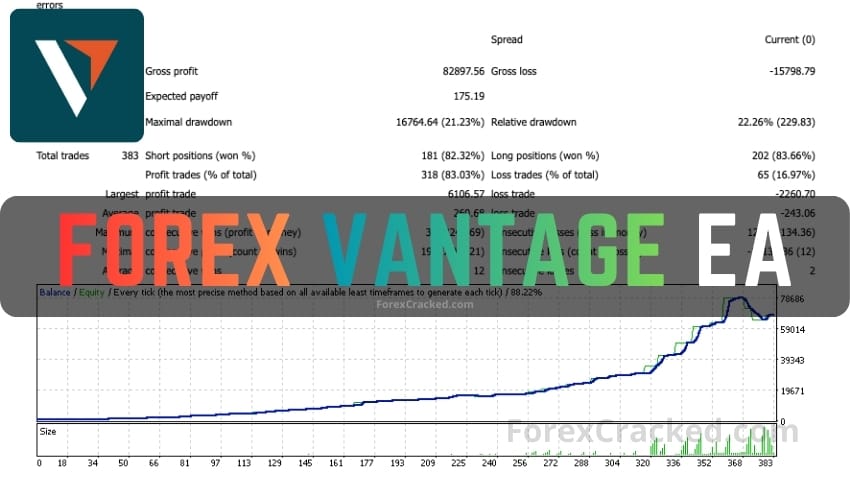
Forex Vantage EA Overview
Download the Forex Vantage EA, a highly effective automated trading tool for the Forex and cryptocurrency markets, available for MetaTrader 4. This expert advisor uses a sophisticated algorithm to analyze price action and identify market trends and reversals. It capitalizes on trend reversals by opening positions in the opposite direction when a trend loses strength.
Features
- Designed for MetaTrader 4
- Utilizes price action analysis
- Focuses on trend reversals
- Incorporates overbought and oversold signals
- Grid and Martingale strategies for trade execution
- Automatically manages risk with money management settings
System Requirements
- Minimum cent account balance of $100 or equivalent standard account
- Optimal for EURUSD, AUDCHF, AUDJPY, CADJPY, GBPUSD, NZDUSD, USDCAD, USDCHF, USDJPY
- Works best on the H1 timeframe
- Requires a reliable VPS for continuous operation
Installation Steps
- Download the Forex Vantage EA file for MT4.
- Open MetaTrader 4 and go to ‘File’ > ‘Open Data Folder’.
- Navigate to ‘MQL4’ > ‘Experts’ and paste the EA file.
- Restart MetaTrader 4.
- Drag the Forex Vantage EA onto your chosen chart and configure the settings.
- Ensure your account meets the recommended balance and conditions.
Test on a demo account for at least a week before live trading to understand its functionality.