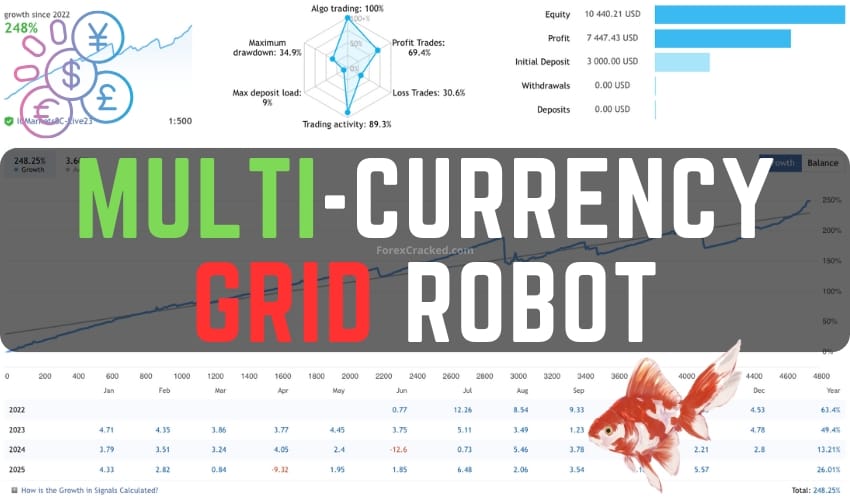
Overview of the Multi-Currency Grid Robot
The Multi-Currency Grid Robot is an advanced Forex trading tool that provides automated trading across multiple currency pairs. It leverages a grid trading strategy, aiming to capitalize on market movements and mean reversion tendencies in the Forex market.
Key Features
- Automated Trading: Once set up, the robot runs automatically, minimizing the need for user intervention.
- One-Chart Setup: Manage multiple currency pairs from a single chart, simplifying the trading process.
- Multicurrency Trading: Simultaneously trades a portfolio of currencies, providing diversified exposure.
- Night Market Stop-Loss: Dynamic stop-loss adjustments during quiet market hours.
- Manual Controls: Option to manually close trades related to specific currencies, useful in volatile markets.
System Requirements
To achieve optimal performance, a minimum account balance of $5000 or an equivalent cent account (e.g., $50) is recommended. The robot performs best on the H1 timeframe and should be run continuously on a reliable VPS for stable results.
Installation Steps
- Download the Multi-Currency Grid Robot file.
- Open your MT4 or MT5 platform.
- Go to ‘File’ > ‘Open Data Folder’.
- Navigate to ‘MQL4’ or ‘MQL5’ > ‘Experts’ and paste the downloaded file.
- Restart your trading platform.
- Drag the EA onto the desired chart and configure the settings as needed.
Considerations
While this robot is designed to operate daily, its performance is contingent on current market conditions. Users are advised to test the EA on a demo account before live trading and to familiarize themselves with its operations.