Introduction to SMC Pyramid EA
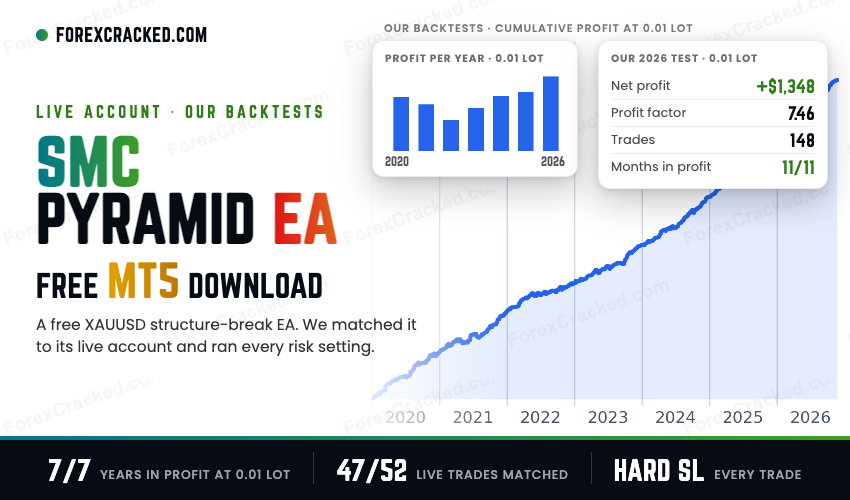
The SMC Pyramid EA is a free expert advisor for MetaTrader 5 designed to trade XAUUSD (gold) on the H1 chart. This tool utilizes a strategic approach, buying or selling after a market structure break and placing stop losses beyond recent swings.
Features of SMC Pyramid EA
- Trades gold (XAUUSD) on the H1 timeframe.
- Utilizes smart money concepts to identify market structure breaks.
- Places stop losses based on swing highs and lows.
- Includes a trailing stop feature for optimizing exits.
- Pyramiding strategy that adds positions only when profitable.
- No grid or martingale strategies used.
SMC Pyramid EA Settings
The expert advisor comes with built-in presets, which include sizing options and risk levels. Users can adjust input settings like lot size and risk percentage to fit their trading style. The EA also features a news filter to pause trading during significant economic events.
Installation Steps
- Download the SMC Pyramid EA file to your computer.
- Open your MT5 platform and go to ‘File’ > ‘Open Data Folder’.
- Navigate to ‘MQL5’ > ‘Experts’ and place the EA file there.
- Restart MT5 and go to the ‘Navigator’ panel.
- Find the SMC Pyramid EA under ‘Experts’ and drag it onto your XAUUSD H1 chart.
- Configure your settings and enable live trading.
Performance Insights
Our tests showed that using a fixed 0.01 lot size, SMC Pyramid EA achieved a modest profit with minimal drawdown. The default risk settings, however, can result in significant drawdowns, so it is recommended to start with lower risk levels.