Introduction to Eclipse Trading EA
Eclipse Trading EA is a fully automated expert advisor for MetaTrader 4, designed to optimize your trading strategy with a price action-based scalping approach. This tool is ideal for trading forex majors and gold (XAUUSD), supporting up to 28 currency pairs. It is engineered to enhance your trading performance with a high win-rate strategy, hidden stop losses, and a trailing stop feature.
Features of Eclipse Trading EA
- Fully Automated Operation: Works 24/5 on MT4.
- Price Action Scalping: No indicators required.
- Hidden Stop Loss: Protects against broker stop hunting.
- Trailing Stop: Configurable for optimal exit strategy.
- Money Management: Adjustable risk percentage for better control.
- Spread Filter: Avoid high-spread entries.
System Requirements
- Platform: MetaTrader 4
- Minimum Account Balance: $200 USD
- Recommended Timeframe: M5 or M1
- VPS Recommended: For continuous operation
- Low Spread Account: For optimal performance
Installation Steps
- Download the Eclipse Trading EA file.
- Open MetaTrader 4 and navigate to File > Open Data Folder.
- Place the EA file in the ‘Experts’ folder.
- Restart MetaTrader 4.
- Attach the EA to a chart of your choice and configure the settings.
- Begin testing on a demo account to understand its functionality.
Backtest Analysis
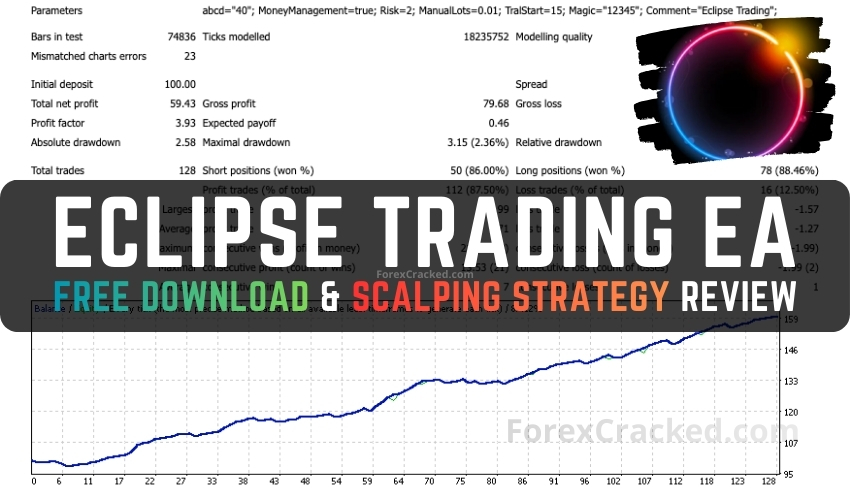
We conducted a backtest using Tickmill demo data for 2025 on EURUSD M5. The results confirmed a win rate of 87.50%, exceeding the developer’s claims. This robust performance showcases the EA’s ability to identify favorable entries and manage trades effectively.