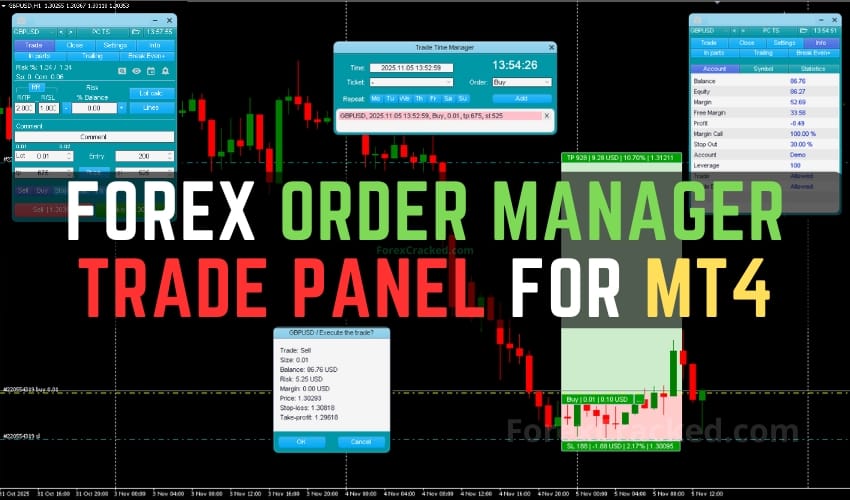
Overview of Forex Order Manager
Enhance your manual trading strategies with the Forex Order Manager for MT4, a trade panel designed to centralize and streamline trade management. This tool offers features in risk management, order handling, and visualization, tailored for manual traders seeking precision and control.
Key Features
- Order Management: Supports both market and pending orders, featuring a Trade Time Manager for scheduling order timings, Partial Close options, and various Trailing Stop variants.
- Stealth Trading: Implements virtual pending orders, stop loss, and take profit levels, keeping key levels hidden from brokers.
- Risk Management: Includes a risk calculation tool to determine position size based on balance, equity, or custom values, with adjustable risk-to-reward ratios.
- Graphical User Interface: Multiple UI layers with a main panel, line function for order visualization, and context menu for flexible order management.
- Additional Tools: Features like Symbol Switcher, Hotkeys, Alerts, and Screenshot Tool enhance trading efficiency and record-keeping.
System Requirements
Compatible with MetaTrader 4 platform, requiring an active internet connection and a basic understanding of manual trading strategies.
Installation Steps
- Download the Forex Order Manager file from a trusted source.
- Open MetaTrader 4 and navigate to ‘File’ > ‘Open Data Folder’.
- Place the downloaded file into the ‘Experts’ folder.
- Restart MetaTrader 4.
- Drag and drop the Forex Order Manager from the ‘Navigator’ panel onto your chart to activate it.