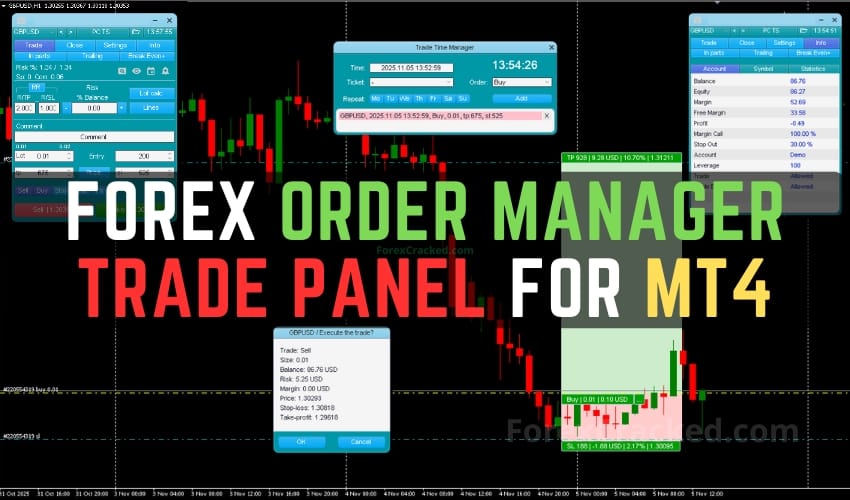
Introduction to Forex Order Manager
Enhance your manual trading strategies with the Forex Order Manager, a trade panel designed for MetaTrader 4 (MT4). This tool centralizes trade management, risk calculation, and market tracking in one intuitive interface.
Features of the Forex Order Manager
- Trade Time Manager: Schedule order openings or closings based on specified time frames.
- Partial Close: Manually or automatically close a set percentage of trade volume.
- Trailing Stop Options: Choose from 7 variants including fixed distance, Fractals, and Moving Average.
- Breakeven Function: Adjust the Stop Loss to the entry price when favorable movements occur.
- Limit Order Trailing: Move pending limit orders to follow the market at a set distance.
- OCO (One Cancels the Other): Automatically remove linked pending orders when one is triggered.
- Stealth Strategies: Use virtual pending orders, stop loss, and take profit levels to conceal key levels from brokers.
Risk Management Tools
The trade panel includes a robust risk calculation feature to help determine position size based on preset risk percentages or fixed monetary values. Define risk using:
- Percentage of Balance, Equity, Free Margin, or Custom amounts
- Fixed values in the account’s base currency
- Dynamic risk based on previous day, week, or month’s price action
Graphical User Interface
The MT4 trade panel features multiple UI layers for enhanced visualization and quick access:
- Main Panel: A control hub with tabbed sections
- Line Function: Visual representation of Entry, Stop Loss, and Take Profit levels
- Context Menu: Modify settings for specific orders without affecting others
Additional Tools
- Symbol Switcher: Change the instrument on the current or multiple charts.
- Hotkeys: Utilize keyboard shortcuts for quick operations.
- Alerts: Notifications for predefined support or resistance level breaches.
- Screenshot Tool: Capture chart images manually or automatically for analysis.
Installation Steps
- Download the Forex Order Manager file.
- Open the MetaTrader 4 platform.
- Navigate to File > Open Data Folder.
- Place the downloaded file in the ‘Experts’ folder.
- Restart MT4 and activate the tool from the ‘Navigator’ panel.
Explore the full potential of the Forex Order Manager to gain better control over your manual trades.